Check Android Security Patch and Update Status With GPUX
The patch date is the phone's software age, printed plainly.
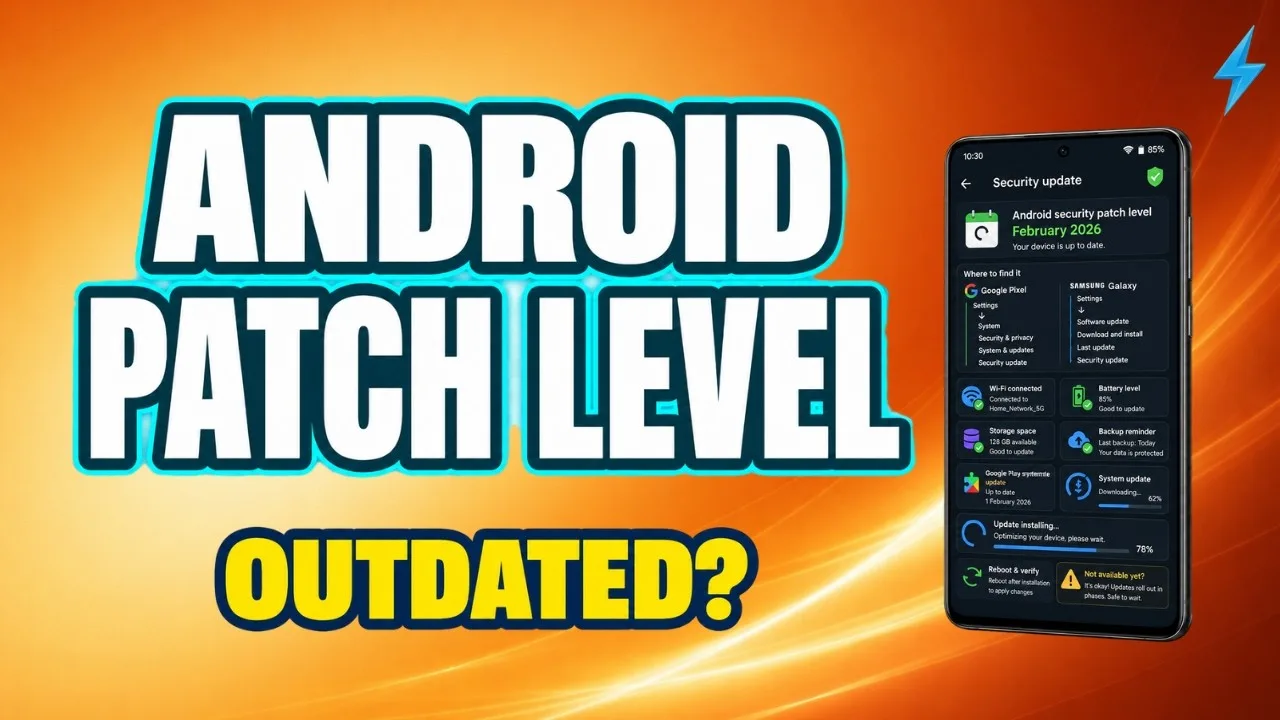
Every Android phone carries two clocks: the Android version it runs and the security patch level it has reached. Together they state the software's real age — how current its protections are and how faithfully its maker has maintained it. GPUX system information shows both on the Device screen, and this guide explains how to read them: what the patch date means, how to judge staleness fairly across brands, and what update status tells you when you are buying, selling, or simply auditing the phone in your pocket.
The patch level is a date, not a grade: it records when the phone's security fixes were current. Everything in this guide is arithmetic on that date, done with judgement about what is normal for the phone's class and age.
Check your own phone first. Its patch date is the calibration for every other phone you will judge.
Where the Fields Live and What They Say
On the Device screen, the Android version names the operating system's generation, and the security patch level gives the date through which security fixes are included. A phone can run a recent Android version on an old patch — the two clocks tick separately, which is exactly why both are printed.
The build information nearby adds the maker's own versioning. Together the three fields identify the software precisely enough to compare against the model's known update history — the factual ground for every judgement in this guide.
How Patch Cadence Normally Works
Security patches are published monthly by Google and adopted by manufacturers on their own schedules: flagship lines often monthly, mid-range lines quarterly, budget and older lines slower or finished. A patch two months old on a current flagship is a raised eyebrow; the same age on a four-year-old budget phone may be its final, honest state.
Judge staleness against the model's class and release age, not against the calendar alone. The question is never 'is this the newest patch' but 'is this the patch history this phone should have' — a question the listing's claims must answer consistently.
Why the Patch Level Matters Practically
Security patches close vulnerabilities that are publicly documented once published — which means an unpatched phone's weaknesses are, quite literally, published weaknesses. For a phone that will hold banking, work, and identity, patch currency is not pedantry; it is the maintenance record of its locks.
It matters commercially too: update support is a large part of what separates phone classes, and a used phone with years of support remaining is worth measurably more than the same hardware at the end of its maker's commitment. The Device screen reading method is in reading the full spec sheet with GPUX.
Check Whether Updates Are Pending or Finished
A phone can be behind because an update waits uninstalled — easily cured — or because its maker has ended support — a permanent condition. Distinguish the two during inspection: check the update screen where time allows, and note which situation you found, because they price very differently.
A just-reset used phone may also sit several updates behind its own potential. The finding to record is the patch level as inspected plus whether a path upward exists; the pair of facts is the evidence, either alone is half of it.
Reading Update Status in a Purchase
Ask the seller when the phone last updated and compare the answer with the patch date on screen. Agreement builds confidence in the whole listing; a cheerful 'updates all the time' beside a patch from two years ago tells you the story and the phone have parted company.
Weigh remaining support in the price: two otherwise identical phones, one with support ending this year and one with three years left, are not the same purchase, and the patch fields are where that difference is documented. This evidence belongs on the comparison sheet in comparing two phones with GPUX.
Your Own Phone: The Maintenance Habit
For the phone you keep, the habit is simple: check the patch level when you think of it — quarterly is plenty — install updates when they arrive rather than deferring them into a pile, and notice when they stop arriving, because that silence is the beginning of the phone's retirement planning.
An end-of-support phone is not instantly useless, but its risk profile changes and its duties should change with it: lighter banking duty, more caution with installs, a replacement timeline in mind. The patch date is what turns that planning from vague anxiety into a schedule.
What GPUX Shows and What It Cannot
GPUX reports what the device exposes: version, patch level, build. It does not contact the manufacturer, predict future updates, or certify that a pending update exists — those are the maker's facts, and the app's discipline is to label device-reported data as device-reported.
That discipline is the point of the whole toolkit, stated in its privacy design: readings are taken locally, gaps are marked rather than filled. A patch field that matches the phone's own About screen is doing its job, whether the date pleases you or not.
Version for the generation, patch for the maintenance, and both judged against the model's class and age: two fields, read properly, describe a phone's software honesty more completely than any sales description.
Note your own phone's patch date somewhere today. It is the first line of its retirement plan and the calibration for every inspection you will ever run.